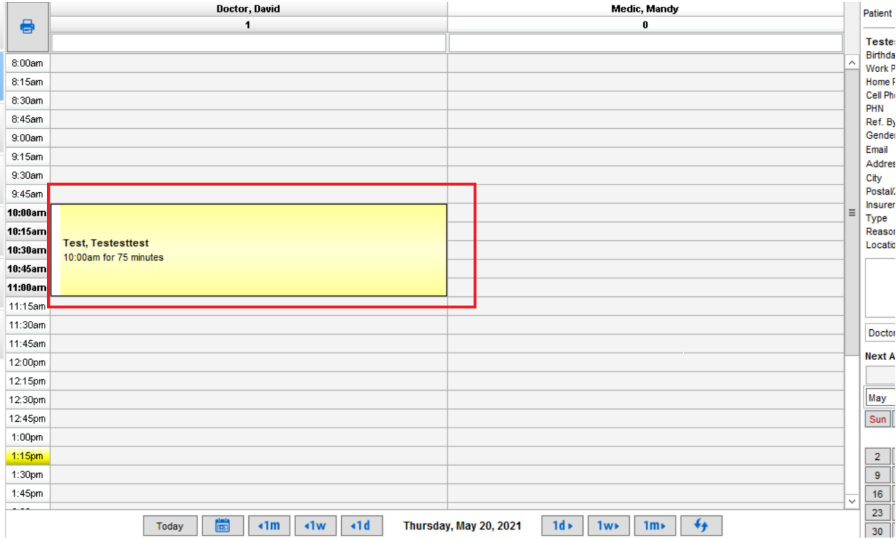
For a patient that has not confirmed or cancelled their appointment, they will appear on the schedule as usual
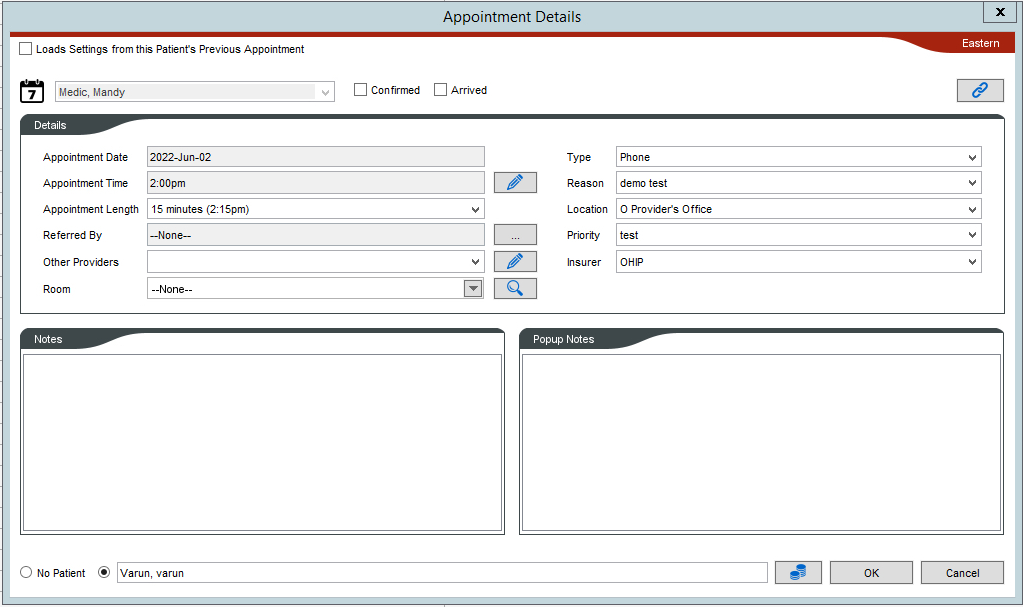
Once you click on the patient appointment in the schedule, a window will appear for the booking of the appointment when the patient has neither yet confirmed or cancelled the appointment.
Confirmations:
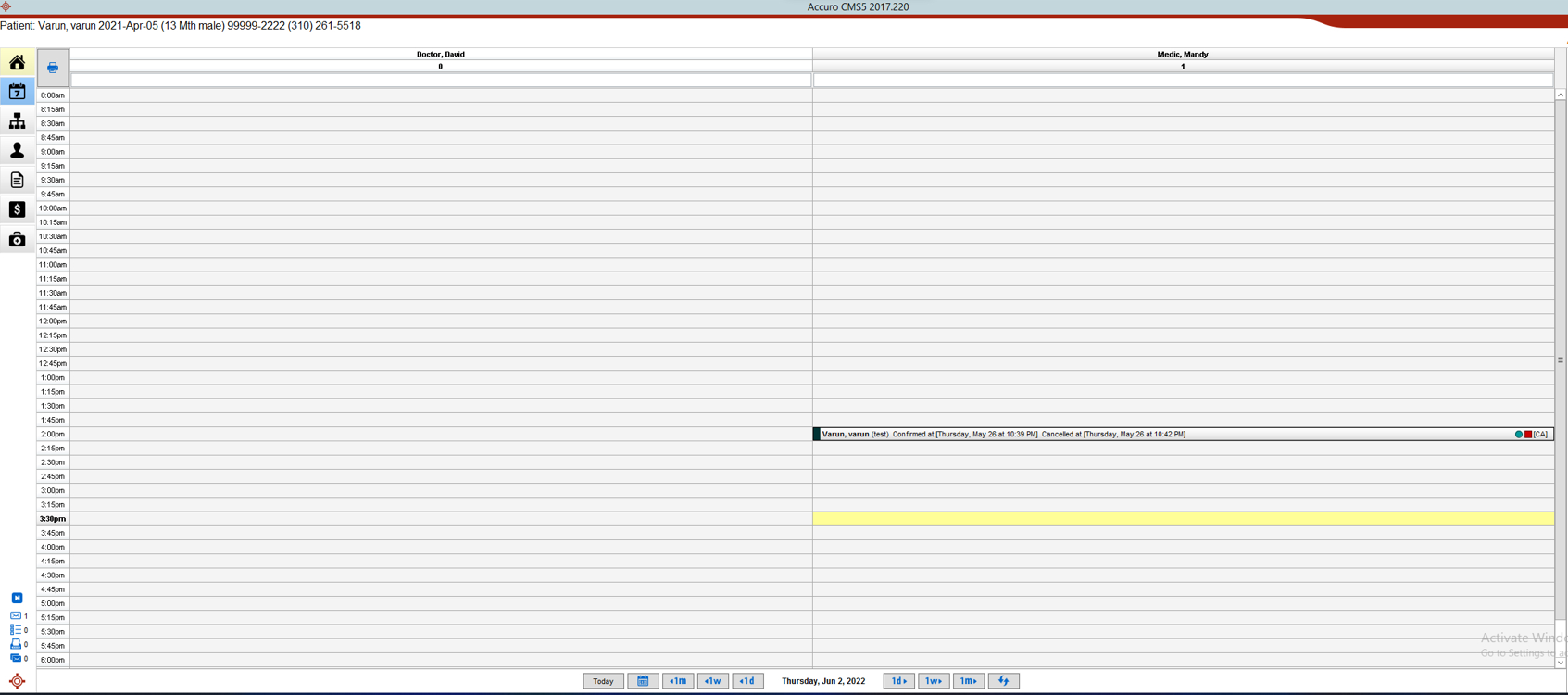
If the patient texts 1 after receiving the SMS to confirm their appointment, the EMR will also be updated according to the colour for the ‘Confirmed’ status code.
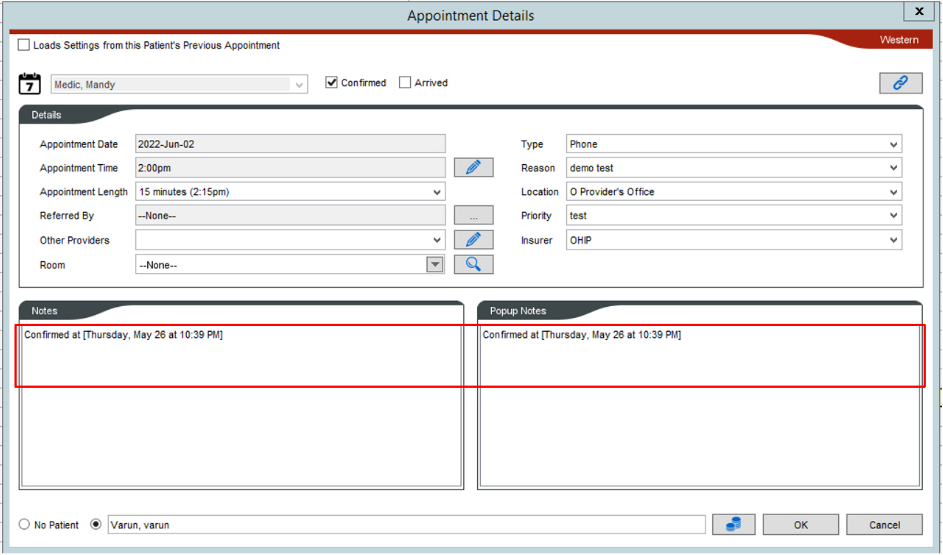
Once you click on the patient appointment in the schedule, a window will appear displaying the status for confirmation of the appointment for the patient as well as the date and time of when the appointment was confirmed and by which method.
Cancellations:
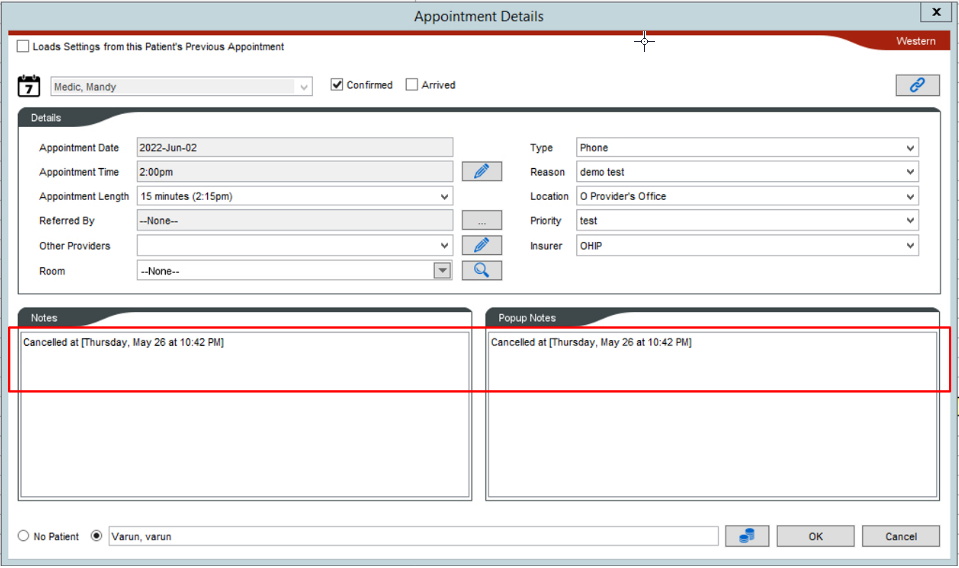
If the patient texts 2 after receiving the SMS to cancel their appointment, the EMR will also be updated according to the colour for the ‘Cancelled’ status code.
Once you click on the patient in the schedule, a window will appear displaying the status for cancellation of the appointment for the patient as well as the date and time of when the appointment was cancelled and by which method.